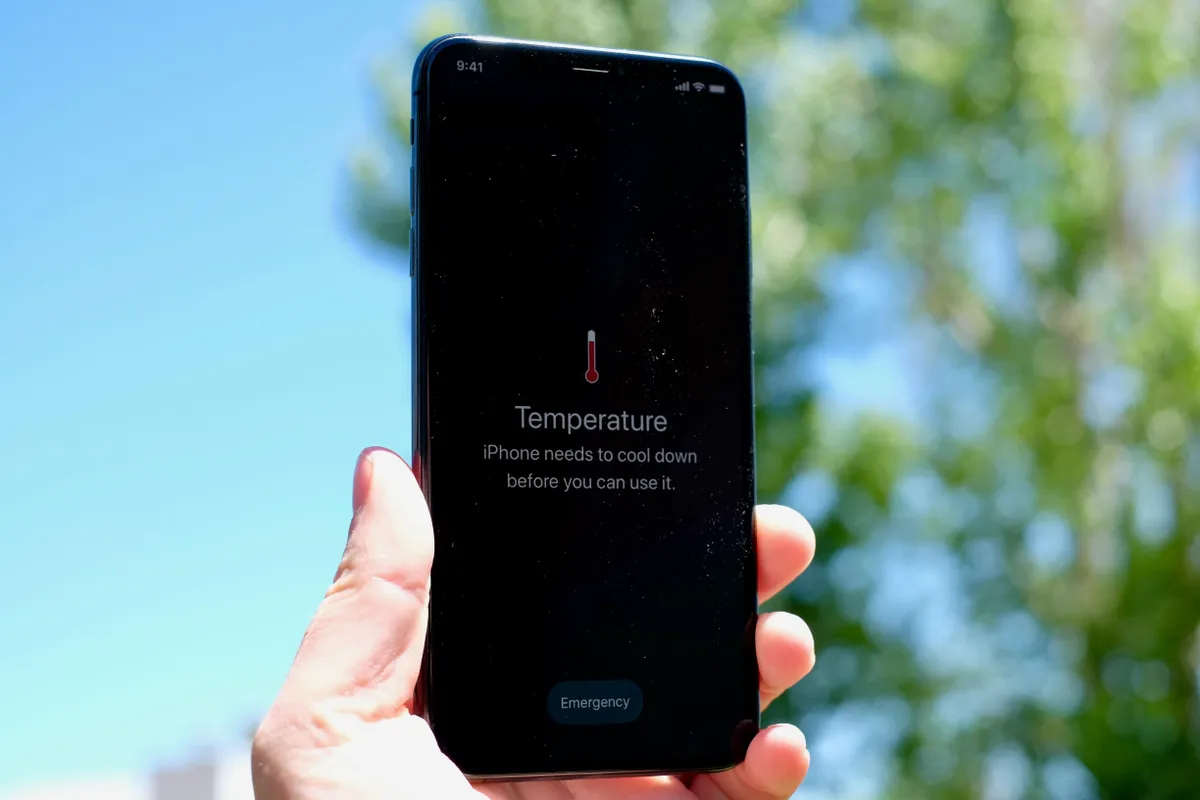
Is It Normal for a Phone to Get Warm?
Yes. Smartphones naturally generate heat while performing demanding tasks.
Your device may become warm when:
● Charging
● Streaming videos
● Playing mobile games
● Using GPS navigation
● Downloading updates
● Running multiple apps simultaneously
However, if your phone becomes too hot to comfortably hold or frequently displays temperature warnings, it’s worth investigating the cause.
Common Reasons Your Phone Is Overheating
- Too Many Apps Running in the Background
Many apps continue working even when you’re not actively using them.
Social media apps, navigation services, cloud backups, and messaging platforms can consume processing power and generate heat throughout the day.
Closing unused apps and restarting your phone occasionally can help reduce unnecessary workload.
- Charging Issues
Charging naturally produces heat, but excessive heat may indicate a problem.
Possible causes include:
● Damaged charging cables
● Faulty charging adapters
● Dirty charging ports
● Low-quality third-party chargers
● Wireless charging inefficiencies
Using certified charging accessories is always recommended.
- Aging Batteries
As smartphone batteries age, they become less efficient.
An older battery may:
● Generate more heat
● Drain faster
● Charge more slowly
● Cause unexpected shutdowns
This is one of the most common issues technicians encounter when diagnosing overheating devices.
- Gaming and High-Performance Apps
Modern mobile games and demanding applications place significant stress on your processor and graphics hardware.
Extended gaming sessions can cause temperatures to rise, especially if your device is charging simultaneously.
- Software Problems
Software bugs can occasionally force apps to run continuously in the background.
Signs include:
● Rapid battery drain
● High battery usage from a single app
● Device heating even when idle
Keeping your phone updated often resolves these issues.
- Direct Sunlight and Hot Environments
Leaving your phone:
● In a parked vehicle
● Near a window
● Outdoors during hot weather
can quickly increase internal temperatures.
Excessive heat exposure can permanently reduce battery lifespan.
How to Cool Down an Overheating Phone
If your phone becomes too hot:
Remove the Case Temporarily
Some cases trap heat and slow cooling.
Stop Charging
Disconnect the charger and allow the device to cool naturally.
Close Demanding Apps
Pause gaming, streaming, or other intensive activities.
Move to a Cooler Environment
Avoid direct sunlight and allow airflow around the device.
Restart Your Phone
A simple restart can stop problematic background processes.
What You Should Never Do
Avoid placing your phone:
● In a freezer
● In a refrigerator
● Near ice packs
Rapid temperature changes can create condensation and potentially damage internal components.
When Overheating May Require Professional Attention
If your phone overheats regularly, even during normal use, it could indicate:
● Battery degradation
● Charging system problems
● Internal component failure
● Water damage
● Software corruption
Ignoring persistent overheating can lead to reduced battery life and more expensive repairs in the future.
Phone Diagnostics and Repair in Calgary
If your smartphone frequently overheats, drains battery quickly, or shuts down unexpectedly, a professional diagnostic can identify the underlying cause. Our Calgary technicians help customers resolve battery issues, charging problems, software faults, and other common smartphone concerns.
Whether you use an iPhone, Samsung Galaxy, Google Pixel, or another device, we can help keep your phone running safely and efficiently.